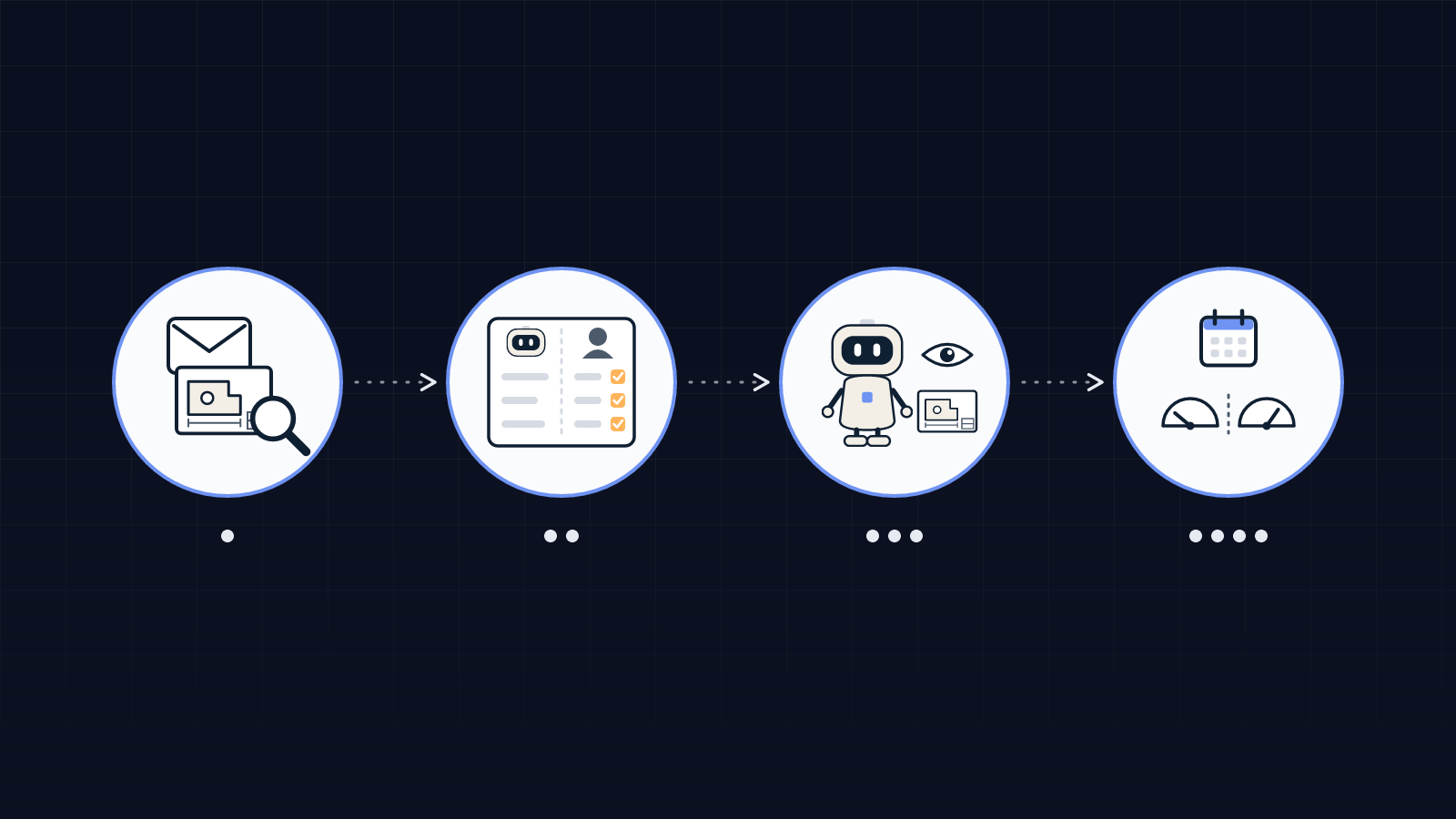
It turns an email and its attachments into a quote file ready for review. It identifies the customer, stores each document with its name, revision and date, then picks out what matters: part number, drawing revision, material and grade, quantities, tolerances, finishing, inspection requirements, delivery date. For every value, it keeps the place in the document it came from. When two documents disagree, or a detail is missing, the file is put on hold with the question to ask. It then searches your history for jobs that look like this one. Your estimator starts from a complete file, and keeps the technical choices and the price.
Contract manufacturing · SMEs
AI agent for RFQ quoting: your requests for quotation prepared, your estimator decides
A request for quotation rarely comes alone: an email, a PDF drawing, sometimes a 3D file and a specification, with three quantities and a due date. Before anyone can price it, someone has to read everything, check that the documents agree and find a similar past job. An AI agent does that preparation. It builds the file, flags what is missing or inconsistent, drafts the questions for the customer and suggests comparable jobs. Your estimator sets the price and approves the quote: nothing goes out without them. Équipage IA scopes and sets up this agent for small manufacturers and contract shops, starting with a discovery audit.
Twenty to thirty minutes. No commitment.
What does an AI agent do when an RFQ comes in?
One file per request: what the agent picks out, what you decide
The work is split line by line. We write it down this way during scoping, with the person who does the quoting today.

| Part of the request | What the agent prepares | What you decide |
|---|---|---|
| Drawing, 3D file, specification | Stores the documents, records revisions and flags a mismatch between drawing and 3D file | Which version is authoritative |
| Material and grade | Matches the customer's wording to your internal material list and shows the date of the last known material price | The material used and whether to update its price |
| Quantities and due date | Records each quantity break and the date, and compares them with what you have already shipped | The breaks you quote and the lead time you commit to |
| Tolerances, finishing, inspection | Lists what is stated and what is missing, and drafts the question for the customer | Feasibility and the operations to plan |
| Comparable jobs | Suggests similar past jobs, with their differences (grade, batch size, customer) | Whether a past job is used as a reference, and which one |
| Outsourced step (heat treatment, coating) | Drafts the price request to your usual supplier | Sending that request and choosing the supplier |
When the request is closer to an order for catalogue parts, see our page on the AI agent for distribution SMEs. For quote requests outside manufacturing, see the page on the AI agent for quote requests.
Why doesn't the agent calculate the price?
Because your price already comes from a calculation you know how to repeat: routing times, material cost, setup, outsourced steps, margin. That calculation lives in your ERP, your routings or your costing spreadsheet, and it must give the same answer for the same input. A language model cannot promise that. So the agent prepares the inputs and shows its assumptions; the calculation stays in your tools, and the price stays with the estimator.

A past job is a starting point, never a price to copy. Material prices move, batch sizes differ, and a margin may have been granted for a commercial reason. The agent shows those differences instead of hiding them.
What happens to requests that are waiting on someone?
Some jobs are lost between two steps: the technical question sent to the customer and never chased, the price request to the coating supplier left unanswered, the quote sent and then forgotten. The agent keeps the list of what is pending. It drafts a follow-up when an answer is late, groups the questions for the same customer into one message, and shows you each morning which files are stuck and why. You review and you send. Following up quotes after they go out is covered on our quote follow-up page.
What we learned building this kind of agent
We are building an agent of this kind with an industrial distribution SME; it is in testing, with read-only access to business data, and quote creation and customer emails switched off. Three lessons apply to contract manufacturing too:
- Interviews with the team come before the code. Everyone has their own way of recognising a customer, a part or a doubtful request; the agent has to know them.
- A value without a source is useless. The agent says where each detail came from and how confident it is, so the review stays short.
- Human approval is written into the scope. Automated tests check that it is always requested.
We apply the same rule to ourselves: Équipage IA's admin agent prepares our quotes and invoices, and nothing goes to a customer until the founder approves it.
When an AI agent is not worth it for your quoting
Sometimes the right answer is to build nothing, or something simpler:
- you already use quoting software that reads drawings, and your RFQs arrive through a portal: the preparation is already done;
- you get a few requests a month, always from the same customer and in the same format: a file template is enough;
- your routings, times and past jobs are not stored anywhere reliable: that is the first project, before any agent.
We also do not quote a turnaround time before we have seen your requests. Of the 12 French pages we reviewed on 28 October 2026 for this search, 7 announce one in their title or first paragraph. Yours depends on your volumes, your parts and the state of your history.
How does Équipage IA set it up?
- The discovery audit. We go through about ten recent RFQs with you, with their attachments and what became of them.
- Scoping. We write down what the agent picks out, what it flags, the questions it drafts and what it never touches.
- Start-up. The agent is connected read-only first; your estimator reviews its first files, and it sends nothing on its own.
- Follow-up. We adjust the rules for the cases that keep coming back, and we measure before and after with you.
To find out whether quoting is the right task to start with, our AI diagnostic asks the useful questions.
FAQ
Can an AI agent read a technical drawing?+
It can pick out what is written on a PDF drawing: title block, revision, material, annotated dimensions, tolerances, notes. It flags what it cannot read instead of guessing. The audit checks what it understands on your own drawings.
Can the agent send the quote to the customer?+
No. It prepares the file and, if you want, a draft of the quote. Pricing, approval and sending stay with your team.
Do we need to change our ERP?+
No. The agent reads your existing tools, within what they allow. Scoping sets what it reads and what it is not allowed to change.
What does the agent do with a request outside our trade?+
It marks it out of scope with the reason (material you do not machine, quantity, lead time, required certification) and passes it to the person who decides. It never turns anything down on its own.